Commands
SAL commands operate on a Git-backed project and the generated data under .sal/data.
For a step-by-step flow, start with Getting Started. For more info on internals, the AI-generated DeepWiki may be helpful.
sal init
Section titled “sal init”Initializes a SAL project in the current Git repository. The repository must not be your home directory and must already have a Git remote.
sal init creates:
.sal/datain the project for generated data.sparql/in the project root for the project’s SPARQL queries, which is wheresal buildandsal constructlook forCONSTRUCTqueries. An existing directory is left as it is.~/.sal/cachefor user-level cache data.~/.sal/config.jsonldfor user-level SAL configuration..gitignoreentries for.sal/dataand.sal/constructed.

sal init --salmodule
Section titled “sal init --salmodule”Initializes the repository as a SAL module as well as a SAL project. On top of everything sal init creates, it scaffolds the files a module needs in the repository root:
ontology.jsonld, a skeleton of the document the module’ssalmodule ontologycommand prints: a@contextbinding the prefixes it uses and a@graphholding anowl:Ontologynode followed by oneowl:Classthat is a subclass ofsalmodule:Task. The ontology node is"@id": ".", itsdc:titleis the git repository name, and itsdc:creatoris the configured gituser.name;owl:versionInfoand every other string start blank for you to fill in.- A
Dockerfileholding only a comment reminding you that the image must stream JSON-LD to standard out per the salmodule specification. - A
.dockerignoreholding only a comment saying it excludes files from the module container.
A file that already exists is left unchanged, so the flag is safe to re-run.
So that the ontology starts with a worked example rather than blank fields, sal init --salmodule asks three questions about one task the module will offer: a unique ID with no spaces or special characters (it becomes the class’s @id and the @type a project instance uses), a human readable name (rdfs:label), and a comment about what the task does (rdfs:comment). An ID with a space or punctuation is asked for again. The task class’s salmodule:taskShape then becomes a sh:NodeShape targeting that class with an empty sh:property list, ready for the constraints on the task’s configuration properties:
Unique ID for the task, with no spaces or special characters (e.g. FetchStations): FetchStationsHuman readable name for the task (e.g. Fetch weather stations): Fetch weather stationsComment describing what the task does: Fetches every station in a region and emits it as schema:Place{ "@context": { "dc": "http://purl.org/dc/elements/1.1/", "owl": "http://www.w3.org/2002/07/owl#", "rdfs": "http://www.w3.org/2000/01/rdf-schema#", "salmodule": "https://w3id.org/sal/cgs-earth/sal/ontology/salmodule#", "sh": "http://www.w3.org/ns/shacl#" }, "@graph": [ { "@id": ".", "@type": "owl:Ontology", "dc:creator": "Ada Lovelace", "dc:title": "my-module", "owl:versionInfo": "", "rdfs:label": "", "rdfs:comment": "" }, { "@id": "FetchStations", "@type": "owl:Class", "rdfs:subClassOf": { "@id": "salmodule:Task" }, "rdfs:label": "Fetch weather stations", "rdfs:comment": "Fetches every station in a region and emits it as schema:Place", "salmodule:taskShape": { "@type": "sh:NodeShape", "sh:targetClass": { "@id": "FetchStations" }, "sh:property": [] } } ]}Pass --bare to skip the questions. The task class is then written with every string blank and "salmodule:taskShape": {}, which is also what you get when standard input is not a terminal.
sal init --salmodule --baresal import
Section titled “sal import”Records an external ontology in the project so that every build carries it.
sal import https://www.w3.org/ns/sosa/The import is written to the ontology node of .sal/config.jsonld, which sal import creates the first time it runs. .sal/config.jsonld also carries sal build’s pinned vocabulary versions as the rest of its @graph; see Data Layout for the full shape.
{ "@context": { "dc": "http://purl.org/dc/elements/1.1/", "owl": "http://www.w3.org/2002/07/owl#", "rdfs": "http://www.w3.org/2000/01/rdf-schema#" }, "@graph": [ { "@id": ".", "@type": "owl:Ontology", "dc:title": "my-project", "owl:imports": [{ "@id": "https://www.w3.org/ns/sosa/" }], "rdfs:comment": "Represents the ontology for the my-project project overall and all the vocabularies that are directly materialized into the graph, not just referenced." } ]}"@id": "." is the project itself, which is the same base sal build resolves the project’s own relative terms against.
dc:title defaults to the Git project name; pass --title to set it, on the first import or on any later one.
rdfs:comment is always generated.
Several ontologies can be imported at once, and importing one that is already listed leaves the file unchanged:
sal import https://www.w3.org/ns/sosa/ http://www.w3.org/ns/ssn/.sal/config.jsonld is a normal source file that belongs in Git; only .sal/data is ignored.
sal build validates the ontology node and counts it alongside the project’s other RDF, so the statements it makes about the project land in the data product.
The ontology node is regenerated on every import.
A statement added by hand survives, since sal import keeps anything the generated shape does not cover; JSON has no comment syntax, so unlike the Turtle this file used to be written as, there is no autogenerated banner to preserve either.
Any pinned vocabulary nodes already in .sal/config.jsonld are carried forward untouched, since sal import never inspects them.
Importing a SAL module’s ontology
Section titled “Importing a SAL module’s ontology”A salmodule:// reference imports the vocabulary a SAL module publishes:
sal import salmodule://github.com/adplincinst/sample-salmodule-1The module is recorded like any other import:
{ "@id": ".", "@type": "owl:Ontology", "dc:title": "my-project", "owl:imports": [{ "@id": "salmodule://github.com/adplincinst/sample-salmodule-1" }]}A module ontology is not served over HTTP, so sal build resolves the import the way the SAL Module specification
says a salmodule:// IRI is dereferenced: it clones the repository, builds the Dockerfile in its root, and runs
the image’s salmodule ontology command. The JSON-LD the module prints is merged into the data product, so the
module’s terms end up in the triples table alongside the project’s own.
The host may be left out, in which case github.com is assumed; salmodule://adplincinst/sample-salmodule-1 and
salmodule://github.com/adplincinst/sample-salmodule-1 are the same import.
Importing a module records it but does not build it, exactly as importing a URL records it without fetching it.
Nothing is cloned or built until sal build runs.
Importing another data product
Section titled “Importing another data product”An oci:// reference imports a published SAL data product rather than an ontology document:
sal import oci://ghcr.io/cgs-earth/water:v1Unlike the other kinds, an artifact is pulled as it is recorded, into .sal/data/imports/ under a directory named
after the artifact itself. That path sits inside .sal/data, so what was pulled is not committed to Git;
re-running sal import on an artifact already listed restores it to disk rather than skipping it.
Pass --username and --password for a private registry, or set OCI_USERNAME and OCI_PASSWORD.
sal build reads only the environment variables, since it takes no registry flags of its own.
Because artifacts are laid out by name, a project holds one version of each at a time.
Importing oci://ghcr.io/cgs-earth/water:v2 replaces the :v1 entry in .sal/config.jsonld’s ontology node and deletes what it
pulled.
An imported data product’s triples are not merged into your table.
Its Iceberg table is registered beside your own instead, so sal query gets a view named after the artifact
(water) next to triples, plus an imports view stacking every imported product with a view column naming
which one each row came from.
An import that has not been pulled, or that holds no Iceberg table, is skipped rather than failing the query.
A reference such as ghcr.io/my-org/my-ontology:latest, written without a scheme, is recognized as an artifact
and reported as a missing oci:// rather than treated as a malformed URL.
sal validate
Section titled “sal validate”Validates RDF source files without committing a new data product. Use it while editing Turtle or JSON-LD files:
sal validate data/Important flags:
--prefix-maps: apply prefix mappings assource=targetentries or source/target pairs.--format: chooseicebergornq; defaults toiceberg.--no-cache: resolve every vocabulary from its source instead of from the versions pinned in.sal/config.jsonld.--allow-prefixes-without-slash-or-hash: include a prefix whose namespace does not end in/or#without asking.
sal validate reads the project’s pinned vocabulary versions but never writes them; only sal build records a pin.
Run outside a SAL project, it resolves vocabularies from their sources with nothing pinned at all.
Since it writes nothing, it does not require a clean Git working tree the way sal build does; it validates the files as they are on disk, committed or not.
An undefined term is reported with the file and the line number it appears on:

The prefixes the source files declare are checked as well as the terms used from them:
- A namespace that ends in neither
/nor#, such as<https://foo.com>, is almost always a mistake, since a term is joined straight onto it (https://foo.comnamerather thanhttps://foo.com/name). It is not invalid RDF, so validation warns, names the files that declare it, and asks whether to include it. Answeryto include it as written, or pass--allow-prefixes-without-slash-or-hashto include every such prefix without being asked; anything else fails the run. - The same vocabulary declared under two spellings that differ only by
http/httpsor by a trailing/or#, such as<http://schema.org/>in one file and<https://schema.org/>in another, is an error. Terms written against the two never compare equal, so the vocabulary would end up in the data product under two IRIs. Declare the same namespace everywhere, or fold the spellings together with--prefix-maps. http://schema.org/is an error. schema.org defines every term underhttps://schema.org/, so a term written against thehttpnamespace names nothing the vocabulary defines. Declare<https://schema.org/>, or map thehttpspelling onto it with--prefix-maps http://schema.org/=https://schema.org/for a file you cannot edit.
schema.org is also resolved differently from other vocabularies: its namespace answers with an HTML page whatever format is asked for, so the vocabulary is fetched from the release document at https://schema.org/version/latest/schemaorg-current-https.jsonld and pinned against https://schema.org/ like any other namespace.
Validating a file that references a SAL module clones and builds that module so its vocabulary can be checked.
sal validate does not run module tasks; only sal build does.
sal build
Section titled “sal build”Validates RDF source files and writes the merged graph into the local data product.
sal build data/By default, sal build requires a clean Git working tree.
Use --force only for test or debugging builds.
Important flags:
--prefix-maps: apply prefix mappings before validation.--format: chooseicebergornq; defaults toiceberg.--force: build even when the Git working tree has uncommitted changes.--no-cache: resolve every vocabulary from its source again and re-pin it in.sal/config.jsonld.--allow-prefixes-without-slash-or-hash: include a prefix whose namespace does not end in/or#without asking, as forsal validate.--without-sal-modules: commit the configuration of every SAL module task the sources declare without running any of them; see SAL module tasks below.
sal build pins the exact version of every vocabulary the project resolves against, so a later build validates against the same versions this one did.
A build that pinned something new writes .sal/config.jsonld, which belongs in Git; commit it before the next build, which otherwise refuses to run against a dirty working tree.
Every pinned version is also written into the data product itself as owl:Ontology provenance, so it is queryable alongside the data rather than only recorded in the lockfile.
See Pinned vocabularies for the file’s shape, where the documents it names are stored, and a sample query.
Only triples that are not already in the table are committed, so rebuilding unchanged sources creates no new snapshot:

sal build validates the project ontology node in .sal/config.jsonld alongside the project’s other RDF if the project has one,
then dereferences every ontology it lists with owl:imports and merges those statements into the data product.
A salmodule:// import is dereferenced by cloning and building the module and asking it for its ontology.
An import that cannot be fetched fails the build, naming the ontology that could not be resolved.
sal validate does not fetch imports; only sal build does.
Importing an ontology is also what makes its class and property hierarchies walkable by a SPARQL property path, since a query reads only what the table holds; see Reasoning over the graph. A vocabulary the project only validates against is pinned and recorded as provenance, but none of its own statements reach the table.
The last thing a build does is describe the table it just committed as a STAC catalog under .sal/data/stac.
The catalog lists one collection, the triples table, carrying the STAC Iceberg extension: the table’s current metadata.json location and snapshot ID, its Iceberg format version and partition spec, its columns, its row count, and the bounding box of every geometry it holds, all read from the table after it is written. It also links, as further children, every STAC catalog a SAL module task handed over as a directory under .sal/data/blobs, so the data product and what its modules produced are one catalog tree.
sal serve exposes it at /stac/catalog.json; see STAC catalog for what the documents contain.
SAL module tasks
Section titled “SAL module tasks”A build is the one operation that produces a snapshot of the data product, so it also runs every SAL module task the source files declare and commits what the modules produced in the same snapshot as the sources.
For each module’s referenced task instance(s), sal build clones the module’s repository, builds the Dockerfile in its repository root,
and invokes the module’s run command with the task instance serialized from the instance’s RDF properties.
The newline delimited JSON the module writes to stdout is converted to triples and committed alongside the
sources. A relative IRI in that output resolves against the project’s namespace, not the module’s, so a task’s
output is named as the project’s own data unless the module wrote absolute IRIs.
A file:/// IRI in that output names a file inside the container; sal build copies it into .sal/data/blobs
under its SHA-256 digest while the task runs, rewrites the reference to urn:sha256:{digest}, and describes the
copy with the file:/// IRI the task wrote as rdfs:label, its modification time as dcterms:modified, its digest as owl:versionIRI,
its path under .sal/data/blobs as dcterms:identifier, and the module that produced it as dcterms:source. A file:/// IRI ending in a slash names a directory,
copied whole under .sal/data/blobs/{digest}/ with its files verbatim, so that it can be read in place, labelled with the same file:/// IRI.
Every copy is appended to .sal/data/blobs/prov.jsonld under its urn:sha256: IRI, and every later sal build carries those records into the table as provenance, so a table
built again from source still describes every copy. prov.jsonld is a log: a build only ever adds to it and to .sal/data/blobs, and never removes what an earlier
build copied, so clearing old copies is up to the user, with sal clean --wipe or by hand. See Using SAL Modules, including
Files a task produces.
sal build --without-sal-modules skips running the tasks. The build still validates each task’s configuration against the module’s own ontology, the same way any other term
is checked against its vocabulary, and commits that configuration RDF into the data product like any other statement; only the modules’ run commands are never invoked.
Use it when the sources should be committed without waiting on a module, or on a machine without a docker daemon to run one on.
A project that declares no module tasks builds the same with or without the flag.
Constructed triples
Section titled “Constructed triples”Once the sources are validated, the imports merged, and the module tasks run, a build runs every SPARQL CONSTRUCT query in the project’s sparql/ directory over all of it and adds the triples they construct to the graph before anything is committed.
The sources, the module output, and the constructed triples are therefore one Iceberg snapshot: they are committed together and roll back together.
PREFIX schema: <https://schema.org/>
CONSTRUCT { ?b schema:knows ?a }WHERE { ?a schema:knows ?b }- A file is a query when it ends in
.rqor.sparql, insparql/or a directory under it. A file holding aSELECTis left alone. - A query that does not parse, or that uses syntax the SPARQL engine does not translate, fails the build before anything is fetched or run, naming the file.
- Every query reads the build as it stood before any query ran, so a query never sees what another constructed and the order they run in does not matter.
- The queries are answered by the same SPARQL to SQL translation
sal serveuses, which reads a table. The build is staged in a temporary table for them to read, and the project’s own table is written once, afterwards. - Constructed triples are not checked against the project’s vocabularies, the same as module output.
- The queries are hashed with the source files, so changing one changes the
sal.hashthe table records.
The build also writes what each query constructed to .sal/constructed, exactly as sal construct does.
See Data Layout for the generated table structure.
The validation, every module built or run, and the Iceberg diff and write are recorded as OpenTelemetry spans when an exporter is configured; see Telemetry.
sal run
Section titled “sal run”Re-runs every SAL module task the project’s RDF declares on top of the last build and commits the triples the modules produced as a new snapshot of the data product:
sal runsal run is a debugging command, and it says so in a warning every time it starts.
sal build runs the same tasks as part of every build, so a data product never needs sal run to be complete;
it exists to run a module again while working on it, on top of a build that already committed everything else.
The snapshot it commits is produced by the same operation a build’s is, with the task output the modules produced as the only change.
sal run refuses to run anything unless the data product matches the sources as they stand:
- The Git working tree must be fully committed.
- The table’s latest snapshot must be the one
sal buildtagged with the commitHEADpoints at.
If either check fails, run sal build again (committing anything it wrote, such as newly pinned
vocabularies in .sal/config.jsonld) and then sal run. A project that declares no module tasks
is an error, since there is nothing to run.
Like sal build --force, sal run --force skips both checks and should only be used for test or
debugging runs.
sal construct
Section titled “sal construct”Runs every SPARQL CONSTRUCT query in the project’s sparql/ directory against the last build and writes what each one constructs to .sal/constructed:
sal constructsparql/ known-by.rq stations/nearby.rq.sal/ constructed/ known-by.ttl stations/nearby.ttlsal construct is a debugging command: it only reads the table, and never changes it or creates a snapshot.
sal build runs the same queries as part of every build and is what commits the triples they construct.
.sal/constructedis wiped at the start of every run, so it never holds the output of a query that has since been renamed or removed.- The output is Turtle, written with the prefixes the query declares. It is smaller than the same graph as JSON-LD and needs no
@contextresolved to write or read it. - The directory is gitignored.
sal initadds it to.gitignore; in a project whose.gitignoredoes not cover it, the directory is given a.gitignoreof its own instead, so that a tracked file is never changed by a build. - It reads the table the last build committed, which already holds what the queries constructed then. A query whose pattern matches its own output therefore constructs more here than it did in the build, which ran it before those triples existed.
sal query
Section titled “sal query”Opens an interactive SQL shell with a triples view over the built Iceberg table.
DuckDB is linked into sal, so nothing has to be installed alongside it.
sal query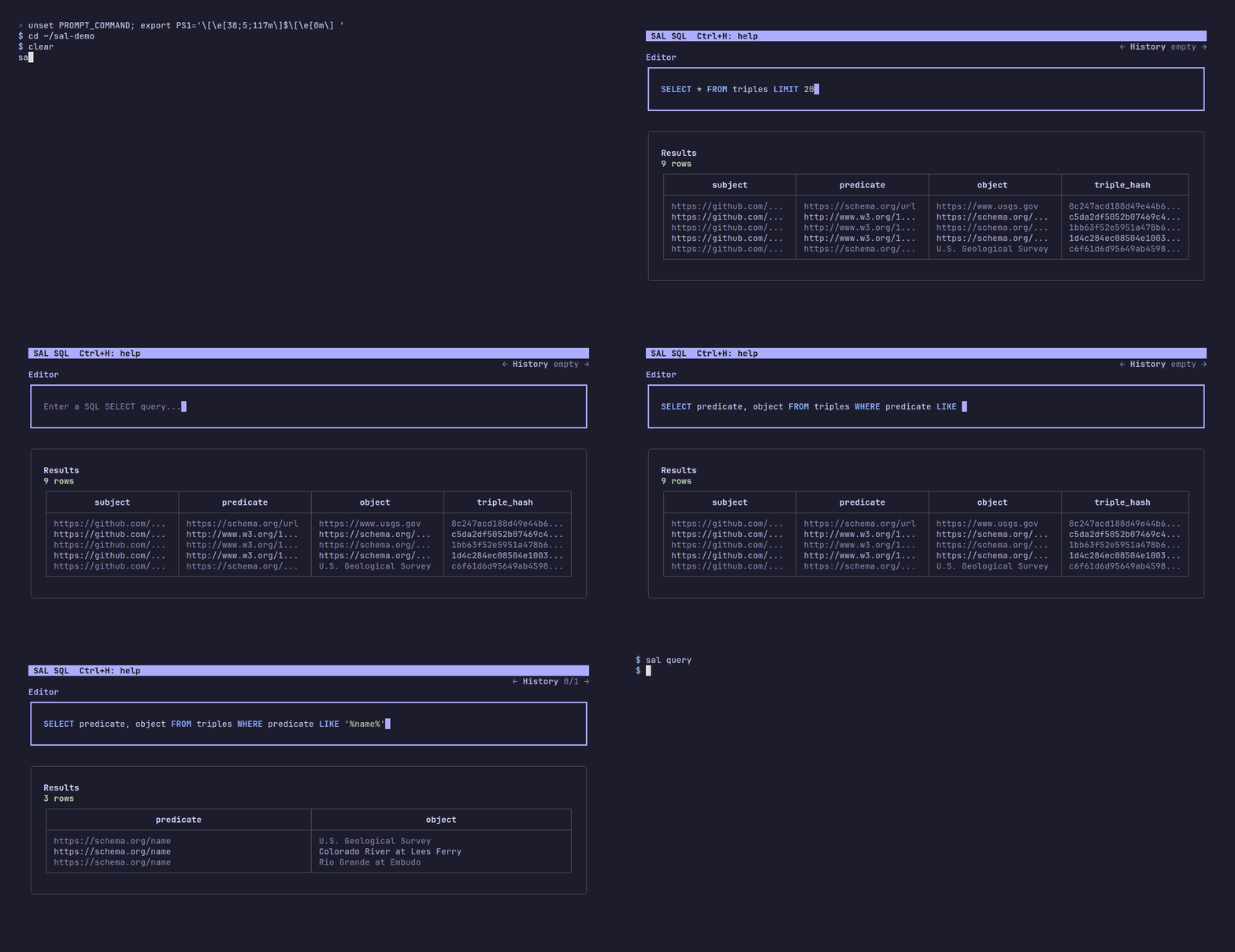
The shell opens on the requested info query and leaves the triples view there to
explore. Ctrl + R runs the editor’s statement, Ctrl + H lists the other keys,
and Ctrl + D exits.
A project that imported a data product with sal import oci://... gets a view per imported table alongside
triples, plus an imports view stacking them all.
Info modes:
head: show the first rows fromtriples.properties: show Iceberg table properties.snapshots: show Iceberg snapshots and SAL Git tags.column-stats: show Iceberg column statistics.
To compare snapshots:
sal query --snapshot-diff latestsal query --sparql opens the same shell in SPARQL mode instead, translating each query to SQL over that view.
See SPARQL Query Engine for how the translation works and which SPARQL constructs it supports.
sal get
Section titled “sal get”Looks up the RDF resources inside a built data product.
Where sal query is about the Iceberg table that stores the triples, sal get is about the RDF the table describes.
sal get vocabularies is the exception: it reads the pinned vocabulary and project ontology nodes in .sal/config.jsonld rather than the built data product.
By default, classes, datatypes, instances, properties, and shapes list only the resources the project itself defines: the subjects named under the project base, which comes from the Git remote the same way sal build resolves the project’s own relative terms.
An imported ontology or a module task contributes resources under its own namespace, and those are left out until --all is given:
sal get instances --allstatements and vocabularies always list every namespace and have no --all flag.
sal get classes
Section titled “sal get classes”Lists every class the data product declares, with the annotations each one carries:
sal get classesclass rdfs:label rdfs:commenthttps://w3id.org/sal/cgs-earth/sal/ontology/salmodule#NodeProc... Node Processor A task that reads nodes and writes nodeshttps://w3id.org/sal/cgs-earth/sal/ontology/salmodule#Task Task A unit of work a module runsA class is a subject declared to be an rdfs:Class or an owl:Class, so a data product that only types its resources with a vocabulary it does not itself carry lists none; sal get instances is what reports the classes resources are typed with.
A class declared to be both is listed once.
Only the classes named under the project base are listed unless --all is given, so the classes of an imported ontology, like the SAL module vocabulary above, only appear with sal get classes --all.
rdfs:label and rdfs:comment are optional; a column that no class states is left out of the table entirely.
sal get datatypes
Section titled “sal get datatypes”Lists every datatype the data product declares, with the annotations each one carries:
sal get datatypesdatatype rdfs:label rdfs:commenthttps://w3id.org/sal/cgs-earth/sal/ontology/salmodule#inbou... Inbound Listener Literal representing a [host:]<port>https://w3id.org/sal/cgs-earth/sal/ontology/salmodule#outbo... Outbound Endpoint Literal representing a URL or <host>:<port>A datatype is a subject declared to be an rdfs:Datatype, so a data product that only holds instance data lists none.
Only the datatypes named under the project base are listed unless --all is given, so the datatypes of an imported ontology, like the SAL module vocabulary above, only appear with sal get datatypes --all.
rdfs:label and rdfs:comment are optional; a column that no datatype states is left out of the table entirely.
Note that this lists the datatypes a data product defines, not the datatypes its literals are tagged with.
The built triples table stores the lexical value of a literal rather than its datatype IRI, so ^^xsd:date and friends cannot be listed back out of it.
sal get instances
Section titled “sal get instances”Lists the resources the project instantiates, with the class each one is typed with:
sal get instancesinstance classhttps://github.com/cgs-earth/sal-demo/Andrew https://schema.org/Personhttps://github.com/cgs-earth/sal-demo/MyRandPeople salmodule://github.com/cgs-earth/sample-salmodule/RandomPeopleWhere sal get classes lists the classes the data product defines, this lists the resources typed with a class, whether or not the class is defined in the data product.
A resource typed with several classes is listed once per class.
Only the resources named under the project base are listed by default, which includes whatever a module task
materialized under relative IRIs. The resources a module task named with absolute IRIs, or an imported data
product carries, are named under other namespaces and only appear with --all:
sal get instances --allinstance classhttps://geoconnex.us/ref/states/66 http://schema.org/Statehttps://geoconnex.us/ref/states/69 http://schema.org/Statehttps://github.com/cgs-earth/sal-demo/Andrew https://schema.org/Personhttps://github.com/cgs-earth/sal-demo/MyRandPeople salmodule://github.com/cgs-earth/sample-salmodule/RandomPeopleThe class is not required to be declared an rdfs:Class or an owl:Class in the data product, since a data product commonly types its resources with a vocabulary it does not itself carry.
What is left out is the other direction: a subject that is itself an rdfs:Class, owl:Class, rdf:Property, owl:ObjectProperty, owl:DatatypeProperty, owl:AnnotationProperty, rdfs:Datatype, or owl:Ontology describes the schema rather than instantiating it, so it is not reported as an instance.
sal get properties
Section titled “sal get properties”Lists every property the data product declares, with the type it was declared with:
sal get propertiesproperty typehttps://w3id.org/sal/cgs-earth/sal/ontology/salmodule#... http://www.w3.org/2002/07/owl#AnnotationPropertyhttps://w3id.org/sal/cgs-earth/sal/ontology/salmodule#... http://www.w3.org/2002/07/owl#DatatypePropertyhttps://w3id.org/sal/cgs-earth/sal/ontology/salmodule#... http://www.w3.org/2002/07/owl#ObjectPropertyA property is a subject typed rdf:Property, owl:ObjectProperty, owl:DatatypeProperty, or owl:AnnotationProperty, so type is what the property was declared to be rather than something inferred from how it is used.
A property declared to be more than one of them is listed once per type, the way sal get instances lists a resource once per class it is typed with.
Only the properties named under the project base are listed unless --all is given, so the properties of an imported ontology, like the SAL module vocabulary above, only appear with sal get properties --all.
Note that this lists the properties a data product defines, not the predicates its statements use, so a data product that only holds instance data lists none.
It is also unrelated to sal query --info properties, which reports the properties of the Iceberg table rather than the RDF the table holds.
sal get shapes
Section titled “sal get shapes”Lists every SHACL shape the data product declares, with the annotations it carries and the class it targets:
sal get shapesshape rdfs:label rdfs:comment rdf:type sh:targetClasshttps://github.com/cgs-earth/sal/PersonShape Person Shape Every person described here is named. http://www.w3.org/ns/shacl#NodeShape https://schema.org/Personhttps://github.com/cgs-earth/sal/PlaceShape Place Shape A place is named and carries a geometry. http://www.w3.org/ns/shacl#NodeShape https://schema.org/Placehttps://github.com/cgs-earth/sal/PersonName Person Name A person is named exactly once. http://www.w3.org/ns/shacl#PropertyShapeEvery column but shape reports the object of a predicate, and is named with the prefixed form of that predicate, so the table says which term each value was read from rather than leaving label to stand for whichever of the several labelling predicates a vocabulary offers.
shape is the subject the other columns are read from, so it is not named this way.
A shape is a subject typed sh:NodeShape or sh:PropertyShape, so rdf:type is what the shape was declared to be rather than something inferred from its properties.
A shape declared to be both is listed once per type, and a property shape written inline as a blank node is listed under the blank node identifier it was given.
A shape the project defines itself is named under the project base, which comes from the Git remote, the same way sal build resolves any other relative term the project writes.
A shape that arrives from an imported ontology keeps the namespace that ontology gave it, and is listed only with sal get shapes --all.
rdfs:label, rdfs:comment, and sh:targetClass are all optional; a column that no shape states is left out of the table entirely.
sh:targetClass is the one a shape can state more than once, and a shape targeting several classes is listed once per class, the way sal get instances lists a resource once per class it is typed with.
sal get statements
Section titled “sal get statements”Lists the statements of the data product, one row per triple:
sal get statements --limit 3subject predicate object type languagehttps://geoconnex.us/ref/dams/1078 http://www.w3.org/1999/02/22-rdf-syntax-ns#type http://www.w3.org/ns/dcat#Datasethttps://geoconnex.us/ref/dams/1078 http://www.w3.org/2000/01/rdf-schema#label Bureau of Reclamation Dam 1078 http://www.w3.org/1999/02/22-rdf-syntax-ns#langString enhttps://geoconnex.us/ref/dams/1078 http://purl.org/dc/terms/created 2026-06-02 http://www.w3.org/2001/XMLSchema#dateThe object column is the object of the triple whichever typed column of the table holds it, with a geometry rendered as WKT.
type is the datatype IRI of a literal object and language is the language tag of a language-tagged string; both are empty for an IRI or blank node object, and language is empty for any literal that carries no tag.
--limit bounds how many statements are listed, and without it every statement is.
The rows stream to standard out in table order, so a data product larger than memory can still be listed in full; they are aligned in blocks of 5000 rows rather than across the whole listing.
Use sal export instead to get the statements back as RDF.
sal get vocabularies
Section titled “sal get vocabularies”Lists every vocabulary the project knows about from .sal/config.jsonld: the vocabularies sal build and sal validate have pinned, unioned with what sal import has recorded with owl:imports on the project ontology node, with whether each one is imported:
sal get vocabulariesvocabulary version format importedhttps://schema.org/ urn:sha256:2c8... application/ld+json yeshttps://www.w3.org/ns/dcat# urn:sha256:9f1... text/turtle nooci://ghcr.io/cgs-earth/example:latest yessalmodule://github.com/cgs-earth/example urn:git-commit-hash:9a1... application/ld+json yesversion and format come from the pin a build or validation records the first time it resolves a prefix or an import against a vocabulary. An oci:// import is never dereferenced as a document to pin, since the artifact it names is not a vocabulary document, so it is still listed as a vocabulary here but with no version or format. A salmodule:// import is dereferenced by building the module and pinned by the module repository’s git commit hash rather than a document digest, the same as a salmodule:// vocabulary.
sal describe
Section titled “sal describe”Shows every statement the data product makes about one subject:
sal describe https://github.com/cgs-earth/sal/Bobpredicate objecthttp://schema.org/jobTitle Professorhttp://schema.org/name Jane Doehttp://schema.org/url http://www.janedoe.comhttp://www.w3.org/1999/02/22-rdf-syntax-ns#type http://schema.org/PersonThis is the <subject> ?p ?o pattern, so it is a filter on the subject column rather than a SPARQL query.
A subject with no scheme is a term the project defined itself, so it is resolved against the project base the same way sal build resolves a relative term in the project’s RDF. In a checkout of https://github.com/cgs-earth/sal, the command above can be written as:
sal describe BobThe project base comes from the git remote, so a relative subject only works inside a checkout that has one.
A prefixed name such as schema:Bob is not expanded; a scheme is what makes a subject absolute, and schema: is one.
An IRI copied out of Turtle or a SPARQL pattern can be passed with the angle brackets it is written in:
sal describe '<https://geoconnex.us/ontologies/method/pastor>'A subject with no statements is reported rather than printed as an empty table.
sal export
Section titled “sal export”Streams every triple in the built data product to standard out as N-Triples, <subject> <predicate> <object> . one line per row:
sal export > data.ntThis is meant for feeding a data product into another RDF-aware program rather than for reading directly; pipe it into anything that accepts N-Triples or N-Quads. For instance, you can use rdflib with sal like the following to convert triples to CSV.
sal export | uv run --with rdflib python -c 'import sys, rdflib; g=rdflib.Graph(); g.parse(sys.stdin, format="nt"); print(g.query("SELECT * WHERE { ?s ?p ?o } LIMIT 10").serialize(format="csv").decode())'triple_hash is left out, since it identifies a row rather than being part of the triple it names.
Each object is restored to its original shape from the typed object column that holds it, retyped with the exact datatype IRI the object_type column recorded at build time (see Data Layout):
- An IRI object comes back as
<...>. - A typed literal comes back with its original datatype —
"5"^^xsd:byteand"5"^^xsd:integerare stored in different columns and both round-trip as themselves, and a datatype without a typed column, such asxsd:date, was stored as a string alongside its datatype and comes back typed too. A numeric or dateTime value’s lexical form is the column’s canonical rendering (1e3comes back as1000.0; a stored dateTime comes back in UTC), but the datatype is always exact. - A geometry literal comes back typed
^^<http://www.opengis.net/ont/geosparql#wktLiteral>, with its WKT text restored from the geometry the table stores. Any GeoSPARQL CRS prefix the original literal had is not restored. - A blank node comes back as
_:.... The table stores every blank node with its_:prefix, so a blank node round-trips exactly in both subject and object position. - An
xsd:stringcomes back as a plain string literal, which is the same RDF term. A language-tagged literal also comes back plain, since the tag itself is not stored.
sal export mirrors the table exactly rather than rewriting anything it reads: a value is written out with whichever N-Triples syntax its stored shape calls for (<...>, _:..., or "..."), but its content is never altered. In particular, IRIs are not resolved against a base — if a subject or object is stored as a relative IRI, it is exported as a relative IRI, which is not valid per the N-Triples grammar but does guarantee the export always says exactly what the table says.
sal serve
Section titled “sal serve”Serves the built triples table as a read-only SPARQL endpoint on port 8080:
sal serveThe endpoint implements the SPARQL Protocol query operation at /sparql.
It accepts GET requests with a query parameter and POST requests using either application/sparql-query or application/x-www-form-urlencoded, and it answers with application/sparql-results+json.
Queries are translated to DuckDB SQL rather than evaluated by a triplestore; SPARQL Query Engine documents that translation and the subset of SPARQL it covers.
The same query operation is available against an earlier version of the table at /v{snapshot}/sparql, where {snapshot} is the ID of an Iceberg snapshot, such as /v7847372623449923428/sparql.
It accepts the same requests and answers the same way as /sparql, but every triple pattern reads the table as it stood at that snapshot, so a query can be pinned to the version of the data product it was written against even after later builds have committed on top of it.
sal query --info snapshots and the Stats tab of --with-ui list the snapshot IDs a table has.
A snapshot the table does not have, or a version that is not a snapshot ID at all, answers 404 saying so; the snapshot is checked on every request, so one committed while the server is running is queryable without a restart.
A query can also name one of these endpoints in a SERVICE clause and subtract it with MINUS, which is how two snapshots are diffed in one query; see Diffing snapshots with SERVICE and MINUS.
It also serves the vocabulary and imported ontology documents the project has pinned, and the files SAL module tasks produced, at GET /blobs/{hash}, where {hash} is the name a document is stored by under .sal/data/blobs: the SHA-256 digest of the document, or the git commit hash of the module for a salmodule:// vocabulary. Either may be given bare or headed by the scheme its owl:versionIRI carries, urn:sha256: or urn:git-commit-hash:, which is stripped. A hash with no matching document answers 404. The endpoint supports HTTP range requests, so a client can fetch part of a document without downloading the whole thing. This route is available with or without --with-ui; the UI’s own Blobs tab, described below, is a thin form over it.
A directory a SAL module task produced sits under .sal/data/blobs/{digest}/ with its files as the task wrote them, so GET /blobs/{digest}/{file} serves each file in it as it is, with a content type from its extension, and a STAC or Zarr client pointed at /blobs/{digest}/ reads it in place. The directory itself is served as a zip archive, named after the file:/// IRI the task gave it, at /blobs/{digest} with or without a trailing slash, and /blobs/prov.jsonld serves the record of every copy. A path that would step outside .sal/data/blobs answers 404. CORS is open on the endpoint, the same as on /stac/, so a STAC browser on another origin can follow the data product’s catalog into a module’s. With --with-ui, only /blobs itself is the Blobs tab; a browser following a link to /blobs/{path} gets the file.
The STAC catalog sal build writes is served at GET /stac/catalog.json, which /stac and /stac/ also answer with, and its collection at GET /stac/triples/collection.json.
The documents are served exactly as they were written, so the collection’s iceberg:metadata_location is a file:// URL on the machine running the server, which a reader on that machine can pass straight to DuckDB’s iceberg_scan(); see STAC catalog.
The endpoint allows cross-origin reads, so a STAC browser on another origin can open it, and a table built before SAL wrote catalogs answers 404 saying to run sal build.
This route is available with or without --with-ui.
Every request is recorded as an OpenTelemetry trace, with the query it ran under it, when an exporter is configured; see Telemetry.
--with-ui
Section titled “--with-ui”Adds a web UI at / alongside the SPARQL endpoint:
sal serve --with-uiThe UI is a React app compiled into the sal binary, so it works offline and needs no extra install.
It has six tabs:
- Stats: triple, subject, predicate, and object counts, plus the Iceberg snapshots, table properties, and column statistics that
sal query --infoprints, and the vocabulary listingsal get vocabulariesprints. Under the table path, a STAC row links to the collectionsal buildwrote for the table: JSON opens/stac/triples/collection.jsonitself, and Viewer opens the catalog root,/stac/, in the Portolan STAC Browser atbrowser.portolan-sdi.org, so the collection and every catalog a SAL module produced are in view together, which works when that site can reach the server’s origin, such aslocalhost, from the browser. Both are disabled when no catalog has been built. Aurn:sha256:orurn:git-commit-hash:version in that listing is a link that opens the document in the Blobs tab, rendered in the page. - SPARQL: a YASGUI editor pointed at the local
/sparqlendpoint. The Inherited classes in use and Labels through subproperties samples are property paths over whatever class and property hierarchies the table holds, the project’s own statements and the ontologies it imports; neither names a term of any particular vocabulary. A ? button in the panel header opens a short note on what the tab and its controls do. A Show SQL toggle beside it opens a read-only pane with the DuckDB SQL the query translates to, kept up to date as the query is edited, so what the endpoint runs under the hood can be read next to the SPARQL that produced it. The pane sits beside the editor when the panel is wide enough for both and below it otherwise; a query the translator rejects shows the error/sparqlwould answer with instead. The toggle is off by default and remembered by the browser. The sample chips include Added since previous snapshot and Removed since previous snapshot,MINUSqueries over aSERVICEon the table’s own previous snapshot that list the triples one has and the other lacks, and Pinned blobs, which lists everyowl:versionIRIthe table refers to with itsrdfs:label, the same listing the Blobs tab shows. - SQL: a DuckDB editor over the same
triplesviewsal queryopens, with sample queries andCtrl/Cmd+Enterto run. - Map: a MapLibre map of the
object_geometrycolumn, as one of two things. It draws the geometry the last SQL or SPARQL query returned — any column holding WKT or GeoJSON becomes a feature, and the other columns of its row become the properties shown when the feature is clicked — or everything inside a bounding box. Clicking the map queries a box around that point sized to the viewport, a square on screen that fits inside it; the box’s corners can also be typed in, outlined on the map, and opened as a GeoSPARQL query in the SPARQL tab. A toggle shows the spatial extent of the whole table. The basemap is fetched from OpenFreeMap, so it is blank offline; the features still draw. - Blobs: the browser form of the
/blobsendpoint. Enter the SHA-256 digest a vocabulary or imported ontology document is pinned at, or the git commit hash asalmodule://vocabulary is pinned at, and it downloads through the browser’s normal save flow. Below the form, a collapsed Pinned blobs list holds every blob the triples table refers to by anowl:versionIRI, the vocabularies the Stats tab lists and the files and directories SAL module tasks handed over, asIRI | hash, where the IRI is the name the blob had before it was pinned, a vocabulary’s namespace or thefile:///IRI a module task wrote, and the hash is a link that loads the blob straight away, rendered or downloaded as the checkbox below says. The list shows the first 100 and says so when the table refers to more, pointing at the SQL and SPARQL tabs for the rest. A Render in the browser checkbox shows the document in the page instead, pretty printed when it is JSON; it is off by default, since most blobs are not meant to be read, and on for the links the Stats tab offers, since an ontology document is. The digest and the choice are mirrored into the URL as/blobs?hash=<digest>&render=true, so a rendered blob can be linked to directly; a link withhashbut withoutrender=trueonly fills the form in and leaves the download to the user. - Modules: the browser form of
sal salmodule inspect. Enter a module reference and the JSON-LD ontology it publishes is shown as formatted JSON. Every module the build downloaded is offered as a chip and as an autocompletion in the input, read from thesal.salmodulestable property.
Each tab has a URL of its own — /stats, /sparql, /sql, /map, /blobs, and /modules — so a tab can be linked to rather than only clicked to, and the browser’s back button moves between them.
Two of those names, /sparql and /blobs, are also endpoints.
A browser navigating to either gets the UI; anything else — curl, a SPARQL client library, the UI’s own fetch() calls — gets the endpoint, as does any request carrying a SPARQL Protocol query parameter, whatever asked for it.
The SQL and SPARQL tabs each have a Copy link button, next to Run on the SQL tab and at the right of the results header on the SPARQL tab.
It copies a link to that tab with the editor’s current query URL encoded into a q parameter, such as http://localhost:8080/sql?q=SELECT%20*%20FROM%20triples.
Opening the link loads that query back into the editor — into a new Shared query tab on the SPARQL side, so it never overwrites what YASGUI restored.
q is deliberately not the SPARQL Protocol’s query, which stays reserved for callers of the endpoint.
Enabling the UI also exposes the JSON endpoints it reads:
POST /api/sqlwith a{"sql": "..."}body runs a DuckDB statement and returns its header and rows. Results are capped at 1000 rows, and the response message reports the full count when it truncates.POST /api/sparql/translatewith a{"query": "..."}body returns{"sql": "..."}, the DuckDB SQL the/sparqlendpoint would run that query as, without running it. A query the translator does not support answers400with the same error/sparqlwould.GET /api/statsreturns the counts and Iceberg metadata shown on the Stats tab, including themoduleslist the Modules tab suggests from.GET /api/blobs?limit=returns the firstlimitblobs the triples table refers to, 100 by default and at most 1000, as{"blobs": [{"iri": ..., "hash": ...}], "truncated": ..., "sql": ...}: every subject with anowl:versionIRIof theurn:sha256:orurn:git-commit-hash:form, each with itsrdfs:label, thefile:///IRI for a copied file or directory.sqlis the DuckDB statement that lists them, for running with a higher limit.GET /geometries?limit=&offset=&bbox=returns up to 1000object_geometryvalues at a time as GeoJSON, each feature carrying thesubject,predicate, and WKTobjectof its triple.bbox=minX,minY,maxX,maxYkeeps only the geometries intersecting that box.GET /geometries/extentreturns the bounding box of every geometry in the table as a GeoJSON feature: itsgeometryis the envelope, itsbboxthe four corners, and itsproperties.geometrieshow many geometries it covers. A table with no geometries answers anullgeometry.GET /api/salmodule?module=clones, builds, and runs a SAL module, returning{"module": ..., "ontology": ...}. The first request for a module has to build its image, so it can take minutes.
/api/sql runs arbitrary DuckDB statements against your machine, and /api/salmodule builds and runs container images from repositories a caller names, so only enable --with-ui on a network you trust.
sal push
Section titled “sal push”Publishes .sal/data as an OCI artifact:
sal push ghcr.io/my-org/my-data-product --username "$OCI_USERNAME" --password "$OCI_PASSWORD"SAL uploads generated data files as OCI layers and annotates the artifact with the source Git remote and current commit hash. See Publishing Data.
sal clone
Section titled “sal clone”Restores a published OCI artifact and its source repository:
sal clone ghcr.io/my-org/my-data-product:latestSAL reads the artifact metadata, clones the recorded source repository, checks out the recorded commit, runs sal init, and restores the artifact layers into .sal/data.
Use --destination to choose the local clone path.
sal pull
Section titled “sal pull”Pulls data from an OCI artifact.
It uses the same artifact retrieval command shape as sal clone.
sal upload
Section titled “sal upload”Uploads the built data product to an object store:
sal upload --bucket gs://my-bucket/sal/triplesSAL stages a temporary copy, rewrites staged Iceberg metadata to point at the target location, then uploads data and metadata in reader-friendly order. See Publishing Data.
sal edit
Section titled “sal edit”Rewrites local Iceberg metadata so a copied table can be read from a new table root:
sal edit --new-table-root gs://my-bucket/sal/triplesThis command changes metadata references only. It does not rewrite Parquet data files.
sal clean
Section titled “sal clean”Removes or reshapes local build artifacts.
Use --wipe to delete the local data product, or --squash to condense local snapshots ahead of a remote artifact.
--wipe also deletes .sal/config.jsonld along with the vocabulary documents its pins name,
the files and directories SAL module tasks handed over together with the .sal/data/blobs/prov.jsonld that records them,
and any data products pulled under .sal/data/imports,
putting the project back to the state it was in before anything was built or imported.
The confirmation prompt names .sal/config.jsonld when it exists, since it is a file the project keeps in Git rather than a build artifact.
Run sal import again to recreate the ontology; the next sal build pins the vocabularies again.
sal salmodule
Section titled “sal salmodule”Outputs SAL module information.
The ontology subcommand prints SAL’s ontology information, and run runs a SAL project.
See the SAL Module TTL Spec for the Turtle source.
The inspect subcommand prints the ontology that a remote module publishes:
sal salmodule inspect salmodule://github.com/adplincinst/sample-salmodule-1SAL clones the module’s repository, builds the Dockerfile in its root, and runs the module’s ontology command, printing the JSON-LD it returns.
Docker’s layer cache makes inspecting an unchanged module cheap after the first build.
The salmodule:// scheme is optional, so adplincinst/sample-salmodule-1 and the repository’s HTTPS URL both work.
A host is only needed for modules that are not on GitHub.
The same thing is available in the browser from the Modules tab of sal serve --with-ui.
sal test
Section titled “sal test”Reserved for tests on built SAL data products. This command is not yet implemented.